

A quick start guide to the Palettes section of rgbDesigner, a professional colour tool that is available for iPad on the AppStore here
This guide will step you through the tools available and give instructions on how to build a palette.
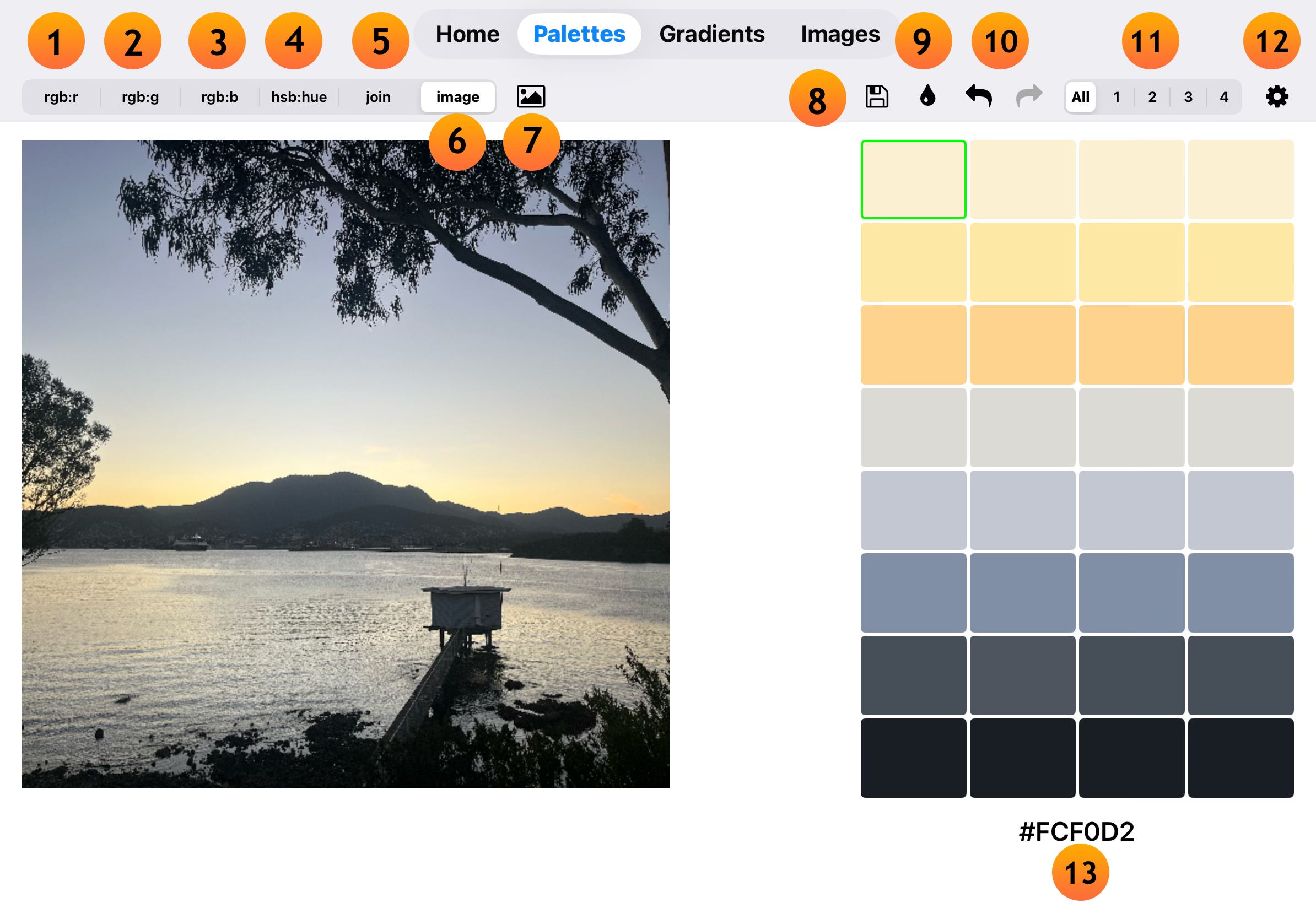
Colour Picker Modes.
rgbDesigner has six colour picker modes that allow you to choose colours for the main palette:
rgb:r - rgb swatches with a set red value selected from the bottom control strip.
rgb:g - rgb swatches with a set green value selected from the bottom control strip.
rgb:b - rgb swatches with a set blue value selected from the bottom control strip.
hsb:hue - hue, saturation and brightness (hsb) swatches with a set hue value selected from the bottom control strip.
join - the two secondary palettes are presented so colours can be selected into the main palette.
image - load an image from your Photos app and pick colours directly. In the sample shown, the colour picker is in image mode.
image selection icon - when the colour picker is in image mode, the image selection icon appears. Tap on it to choose an image from the Photos app.
Main Palette Controls.
files - this is where you can save and load your palettes. You also use the files screen to set the two secondary palettes.
fill - tap on the fill button to populate the main palette. There are nine fill types that you can use. The current fill type is set on the settings screen.
undo (back arrow) - undo the most recent change you have made to the palette / redo (forward arrow) - redo the change that you have recently made. If the redo button is greyed out, this means there are no undo steps to be redone.
main palette display controller - a palette is made up of 32 colours, displayed in columns of eight colours. All shows all 32 colours, while the numbers will display a single column at a time.
settings - set the various options for how the palette screen operates. This is where you set the fill mode and the display type for the numerical display.
Numerical Display.
The Numerical Display shows the values of the current colour, which is displayed with a green border. Display types include rgb(1.0), rgb(255), hsb and hex values.